Research
Find the right reference.
Search the web, read public pages and download useful assets. Web access is optional and off by default; no search API key is needed.
Meet Deepy · Zero & Prime
Turn a conversation into images, films, voices, 3D assets and explorable worlds. Deepy Prime researches, plans, creates and checks the work with you. Now in development: games you can play, share and keep improving.
Your WanGP computer runs the generation. Your phone connects to it to send requests and follow the results.
Already have an agent you like? Bring your own through MCP and use the same WanGP models and tools.
Deepy Prime · Recent releases
Keep the creative direction. Let Deepy handle research, tools, batches and the details between generations.
Research
Search the web, read public pages and download useful assets. Web access is optional and off by default; no search API key is needed.
Style
Ask for a style or effect. Deepy can discover and install compatible LoRAs from Hugging Face and Civitai. Civitai downloads require your API key.
Precision
Place exact lettering, build charts and contact sheets, write timed subtitles, animate titles, and make procedural 3D props in the Python sandbox.
Production
Plan shots, carry the cast across scenes, add music or narration, and check for black frames, unwanted cuts, silent gaps and mistakes in on-screen text.
Direct it in Showrunner →Batch workflows
Automate inspection, transcription and generation. Through Media Flow, restore, outpaint, upscale or smooth long videos with resumable batches and original audio preserved.
Open the Media Flow guide →3D & worlds
Generate 3D assets, inspect them from different angles, or prepare a character sheet. Create a world and continue it from movement instructions before taking the controls yourself.
The Q4 KV cache can fit roughly twice the context within the same VRAM budget, or reduce memory use at your current context size.
Deepy setup and capabilities ↗Deepy Games · In development
Made in one shot by Deepy, 100% locally in WanGP: code, artwork, sound and playable games from one request. A few small manual fixes refine these showcase examples.
Explore 10 generated gamesPlay the browser demos. Download the games for WanGP.
 One shot. 100% local. Made by Deepy.
AT YOUR DESK
Open Ask Deepy beside your generation controls and galleries. Select media, describe a change and follow the assistant’s work in your browser.
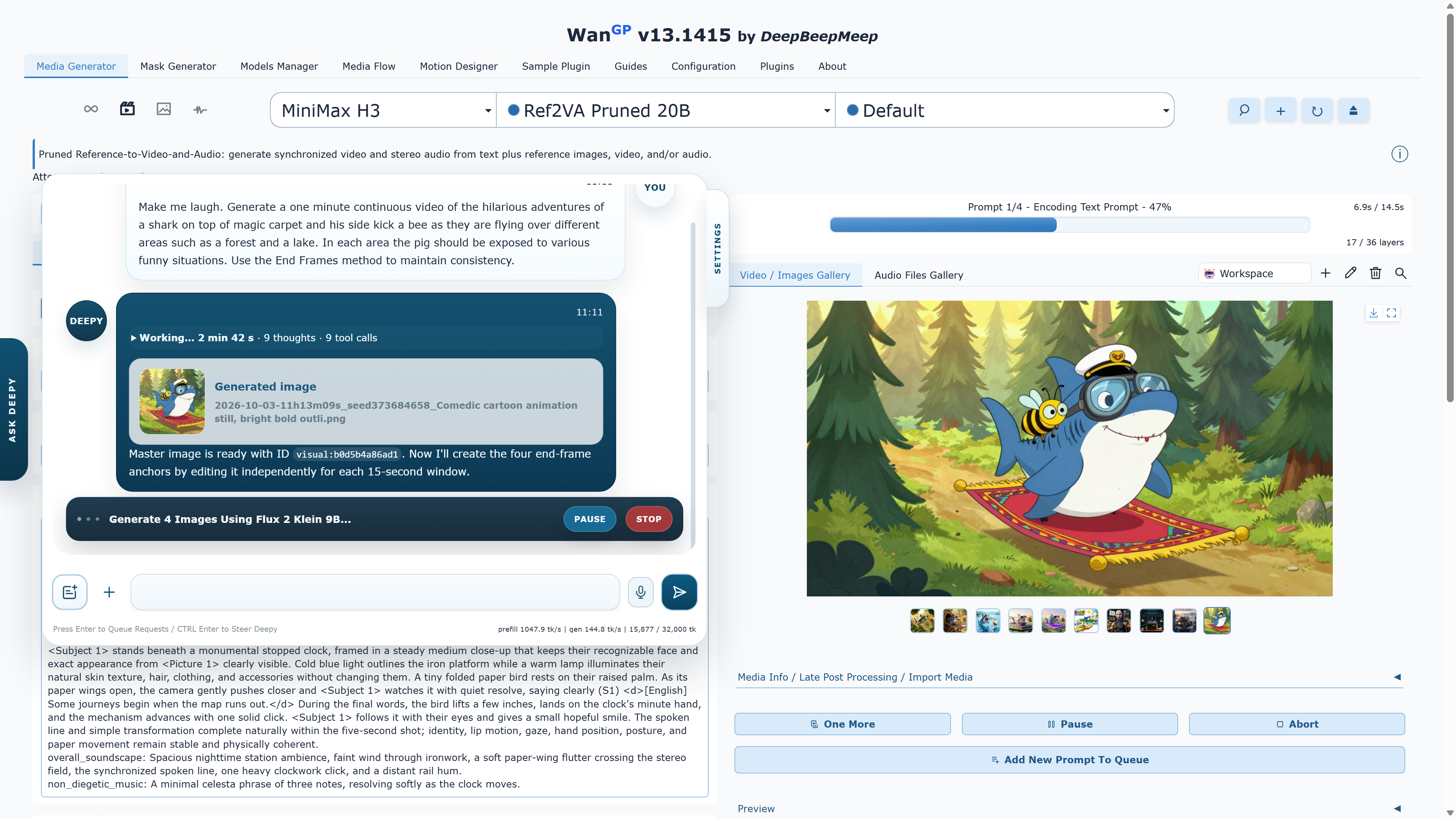
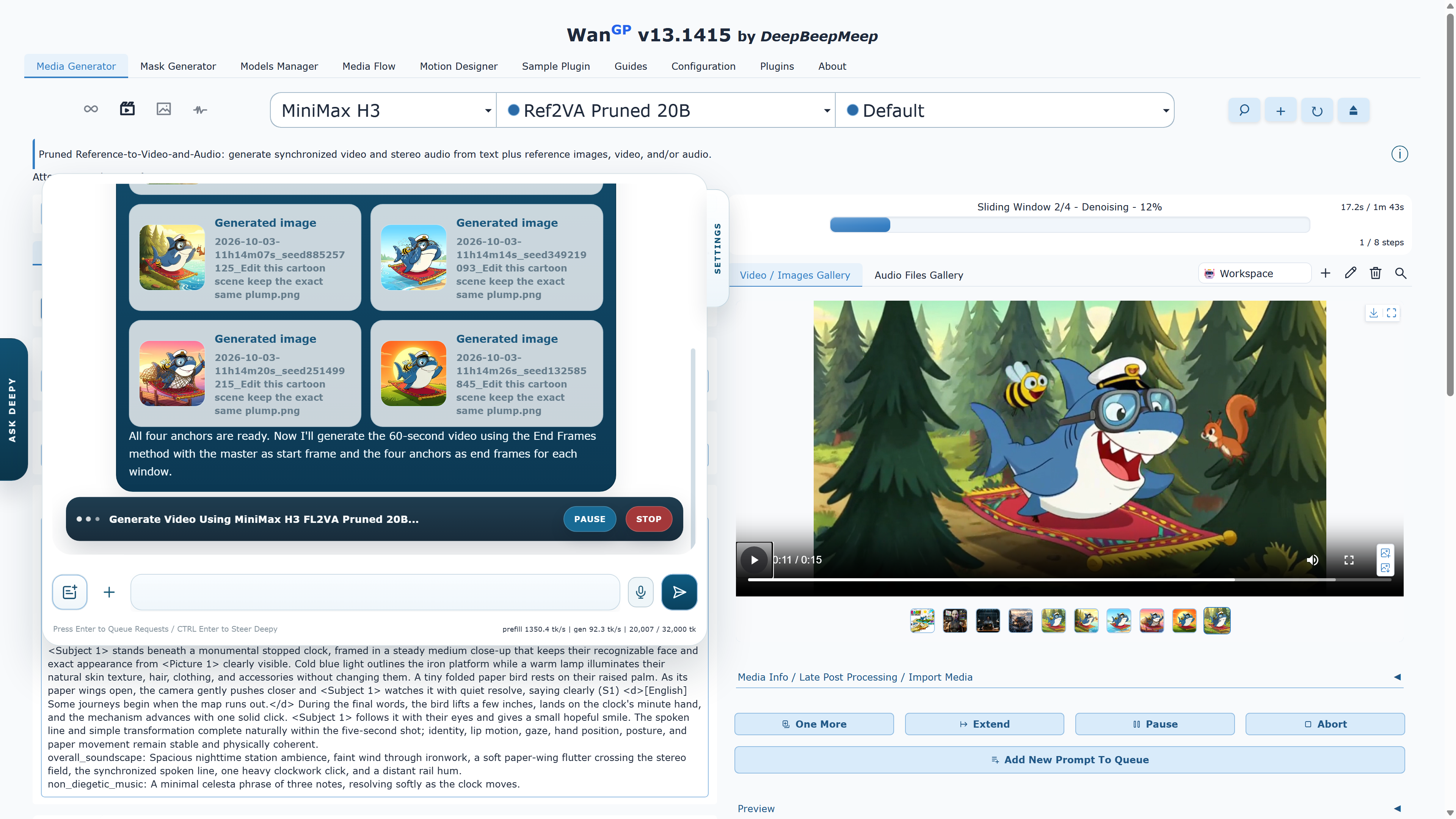
The Deepy Web App and full WanGP interface share the conversation, galleries, progress and queue when connected to the same running server. Check a result or launch the next generation from your phone while your computer keeps creating.
01 / YOUR ASSISTANT
Choose the assistant that fits the work. Both share WanGP’s generation tools, galleries and saved sessions.
Deepy Zero
A lightweight assistant for focused requests: generate an image, edit selected media, trim a clip, resize a file or transcribe a recording. A good fit for smaller supported local language models.
Deepy Prime
Plan a project, choose compatible models, combine assets, inspect intermediate results and revise them. Run a supported local language model, or configure a supported remote engine for the assistant.
02 / KEEP CREATING
Start with a prompt, a photo, a recording or media already in your workspace.
Generate & edit
Create images, video, speech, songs and 3D assets. Use references, inspect frames and rendered 3D views, and turn a result into the input for the next step. Deepy can also prepare a character sheet from a 3D asset.
Prepare & finish
Ask for Magic Mask selections, RGBA conversions, extracted clips or resized media. Prime can mix audio, replace soundtracks and add selectable subtitle tracks.
Pause & return
Enable saved sessions to preserve conversations and media. Pause and resume a task, switch projects, or follow the same running session from another device.
03 / GET STARTED
The Web App connects to your running WanGP installation.
In Configuration → Prompt Enhancer / Deepy, choose Zero or Prime, select a supported engine, and save.
Follow “Web app →” in Deepy’s settings. Connect your phone to the same running server to keep chat, galleries, progress and the queue synchronized. Use the network setup guide for remote access.
Upload a photo or recording, describe your next step, and review the result. Add the Web App to your phone’s home screen for quick access.
Local language models support offline assistant use once the required files are downloaded. A configured remote engine needs internet access and sends the conversation to that provider.